Key points
- ^BY sets module width, wide to narrow ratio and default height for every following barcode.
- Code 128 is the default choice for alphanumeric data; mode D creates GS1-128 with FNC1.
- EAN-13 and UPC-A take 12 and 11 digits; the printer calculates the check digit.
- Leave quiet zones and use module widths of 2 or more dots for dependable scanning.
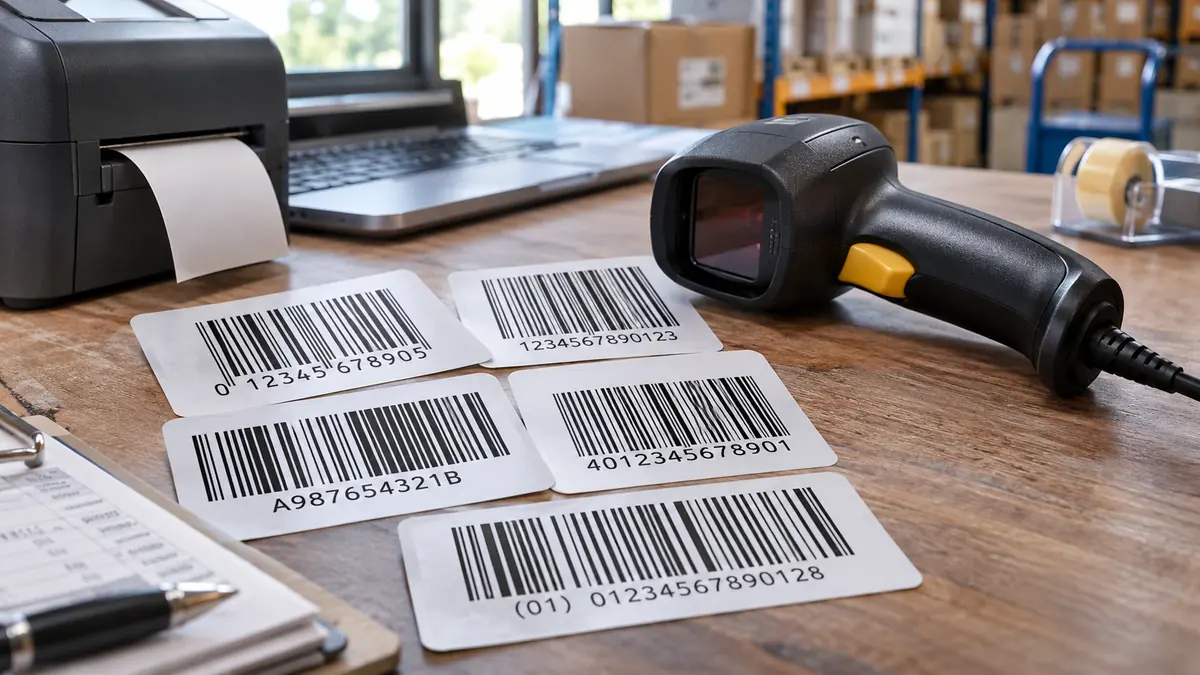
Barcodes are usually the most important part of a label and the least forgiving. A misplaced address is annoying; a barcode that will not scan stops a parcel, a pallet or a checkout. ZPL makes barcodes easy to add, and a few rules make them reliable.
Start with ^BY: module width, ratio and height
^BYw,r,h sets defaults that apply to every barcode after it in the label:
- w, module width: the width of the narrowest bar in dots, from 1 to 10. Default 2.
- r, ratio: wide bar to narrow bar ratio for symbologies with two widths, such as Code 39 and Interleaved 2 of 5. From 2.0 to 3.0, default 3.0. Code 128, EAN and UPC ignore it.
- h, height: default bar height in dots, used when the barcode command does not give one.
At 203 dpi a module width of 1 dot is about 0.125 mm, which is too thin for most scanners and printers. Use 2 or 3 for general labels and 3 or 4 for shipping barcodes read at a distance.
Code 128 with ^BC
Code 128 encodes all ASCII characters compactly and is the workhorse of logistics. The syntax is ^BCo,h,f,g,e,m: orientation, height, print interpretation line (Y/N), line above the code (Y/N), UCC check digit (Y/N) and mode.
- Mode N (default) uses subset B unless you add invocation codes, for example
>;to start in numeric subset C. - Mode A (automatic) lets the printer switch subsets for the shortest code, which roughly halves the width of long numbers.
- Mode D produces GS1-128: it adds the FNC1 start character and handles application identifiers written in parentheses, such as
(01)and(17).
Code 39 with ^B3
Code 39 is older and wider, but still common in manufacturing and government. It supports upper case letters, digits and a few symbols. ^B3o,e,h,f,g adds an optional Mod 43 check digit with e=Y. The interpretation line shows the start and stop asterisks.
EAN-13, UPC-A and EAN-8
Retail codes have fixed lengths. ^BE (EAN-13) takes 12 digits and ^BU (UPC-A) takes 11; the printer calculates the final check digit. ^B8 (EAN-8) takes 7. These numbers come from GS1 company prefixes, so never invent them for products sold in stores. The guard bars extend below the others and the digits print in groups, which our viewer reproduces.
Interleaved 2 of 5
^B2 encodes digits in pairs, so it needs an even number of digits; an odd count gets a leading zero. It is compact for numeric data and is used on cartons as ITF-14, usually with a bearer bar box around it.
^XA
^PW812
^LL812
^FO40,30^A0N,34,34^FDCode 128^FS
^BY2,3,90
^FO40,70^BCN,90,Y,N,N^FDZPL-128-42^FS
^FO430,30^A0N,34,34^FDCode 39^FS
^BY2,3,90
^FO430,70^B3N,N,90,Y,N^FDZPL39^FS
^FO40,240^A0N,34,34^FDEAN-13^FS
^BY2,3,100
^FO40,280^BEN,100,Y,N^FD590123412345^FS
^FO430,240^A0N,34,34^FDUPC-A^FS
^BY2,3,100
^FO430,280^BUN,100,Y,N,Y^FD03600029145^FS
^FO40,470^A0N,34,34^FDInterleaved 2 of 5^FS
^BY2,3,90
^FO40,510^B2N,90,Y,N,N^FD1234567890^FS
^FO430,470^A0N,34,34^FDEAN-8^FS
^BY2,3,90
^FO430,510^B8N,90,Y,N^FD9638507^FS
^XZ
Quiet zones, size and orientation
- Quiet zones: leave clear space before the first bar and after the last, at least ten module widths. Do not let boxes or text touch the bars.
- Height: taller bars are easier to scan by hand. A common rule of thumb is a height of at least 15 percent of the barcode width.
- Orientation: on thermal printers, bars parallel to the direction of travel (orientation N on most printers, the "picket fence" layout) print most crisply.
Check barcodes before printing
Our ZPL Viewer encodes barcodes properly, so you can scan the preview from your screen with a phone. That confirms the data. A printed barcode should still be checked on real media, because darkness, speed and worn printheads widen or thin the bars. For retail and GS1 compliance, use a barcode verifier. Two dimensional codes are covered in QR codes in ZPL.
Preview this in the ZPL Viewer
Paste your code, pick the label size and density, then check every field before you print.
Frequently asked questions
Why does my Code 128 barcode look too wide?
Long numbers encoded in subset B use twice the space of subset C. Use mode A for automatic optimisation, or start with >; to encode digit pairs in subset C.
Do I need to add the EAN or UPC check digit myself?
No. Supply 12 digits for EAN-13 or 11 for UPC-A and the printer calculates the check digit. If you send the full number, the extra digit may be ignored or replaced.
What module width should I use?
Two or three dots at 203 dpi suits most labels. Use larger values for barcodes scanned from a distance or printed on lower quality media.
Which ZPL barcodes does the viewer draw?
Code 128 including GS1-128, Code 39, Interleaved 2 of 5, EAN-13, EAN-8, UPC-A, QR Code and Data Matrix. Other symbologies are shown as placeholders with a warning.
Sources and further reading

Written by the ZPL Viewer Editorial Team
We build and maintain the ZPL Viewer rendering engine and write these guides from real testing of label code. Every example in this article was rendered in our viewer before publishing. Read more about how we work.