Key points
- Dots = inches x dpi, or millimetres x dpmm. 203 dpi equals 8 dots per mm.
- ^PW sets the print width and ^LL the label length, both in dots.
- The same ZPL prints smaller on a higher resolution printer because each dot is smaller.
- Always preview at the density of the printer that will print the label.
Every number in ZPL that describes a position or size is measured in dots: the tiny heating elements on a thermal printhead. Dots make ZPL precise, but they also make it resolution dependent. Once you understand the conversion, label sizes and "why is it printing too big?" problems become easy.
Converting inches and millimetres to dots
Printer resolution is quoted in dots per inch (dpi) or dots per millimetre (dpmm):
- Dots = inches x dpi, for example 4 in x 203 = 812 dots.
- Dots = millimetres x dpmm, for example 100 mm x 8 = 800 dots.
The common resolutions are 152 dpi (6 dpmm), 203 dpi (8 dpmm), 300 dpi (12 dpmm) and 600 dpi (24 dpmm). Note that 203 dpi is really 8 dots per millimetre, which is 203.2 dots per inch; tools round it to 203.
| Label | 152 dpi | 203 dpi | 300 dpi | 600 dpi |
|---|---|---|---|---|
| 4 x 6 in | 609 x 914 | 812 x 1218 | 1200 x 1800 | 2400 x 3600 |
| 4 x 3 in | 609 x 457 | 812 x 609 | 1200 x 900 | 2400 x 1800 |
| 4 x 2 in | 609 x 304 | 812 x 406 | 1200 x 600 | 2400 x 1200 |
| 2.25 x 1.25 in | 342 x 190 | 457 x 254 | 675 x 375 | 1350 x 750 |
| 100 x 150 mm | 600 x 900 | 800 x 1200 | 1200 x 1800 | 2400 x 3600 |
| 57 x 32 mm | 342 x 192 | 456 x 256 | 684 x 384 | 1368 x 768 |
Setting the label size in ZPL
Two commands describe the printable area:
^PWw, print width: how many dots across the printer should use. Content beyond it does not print.^LLl, label length: how long the label is in dots. It matters most for continuous media; on gapped labels the printer normally detects the length itself.
^XA
^PW812
^LL406
^FO0,0^GB812,406,4^FS
^FO20,20^A0N,36,36^FD4 x 2 in at 203 dpi = 812 x 406 dots^FS
^FO20,80^GB203,3,3^FS
^FO20,90^A0N,24,24^FD203 dots = 1 inch^FS
^FO20,140^GB8,40,8^FS
^FO40,145^A0N,24,24^FD8 dots = 1 mm^FS
^FO20,200^GB772,186,2^FS
^FO40,230^FH^A0N,28,28^FD_5EPW812 _5ELL406^FS
^BY2,3,80
^FO40,280^BCN,80,Y,N,N^FD812X406^FS
^XZ
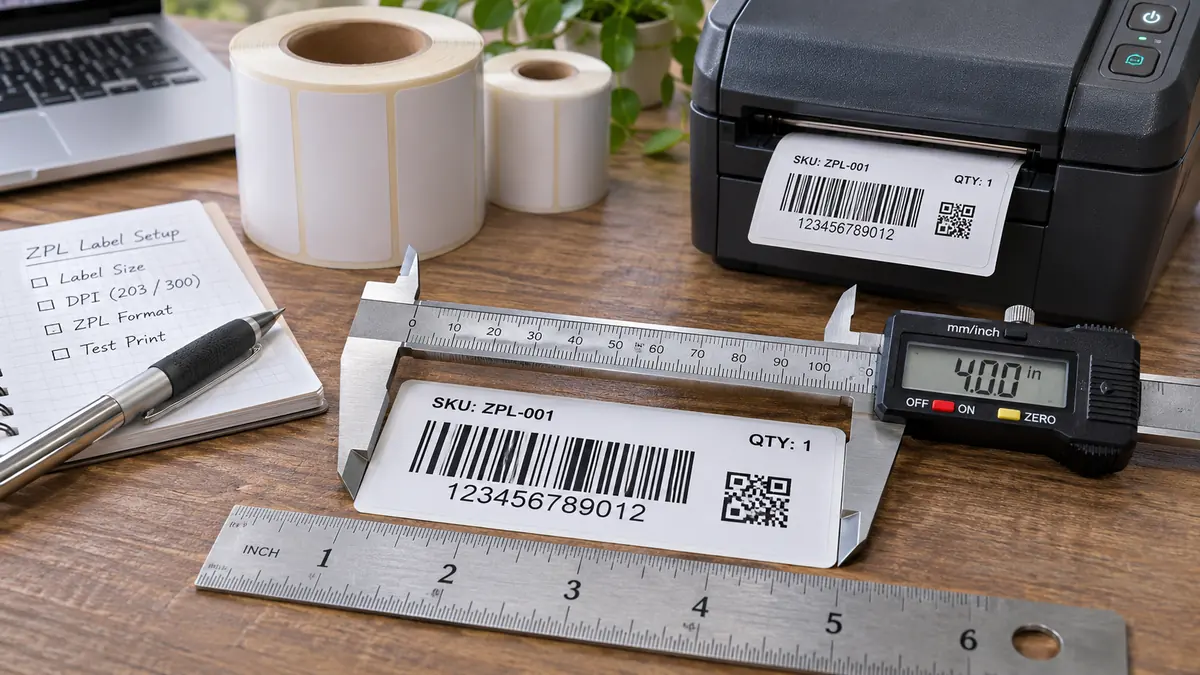
The box at the top is exactly 203 dots wide and the small block is 8 dots wide. Print it and measure with a ruler to confirm your printer's resolution: they should be one inch and one millimetre.
Why the same ZPL prints at different sizes
A field at ^FO400,0 is about 50 mm from the left on a 203 dpi printer but only about 34 mm on a 300 dpi printer. Everything shrinks by the ratio of the resolutions (203 / 300, roughly two thirds). Code written for 300 dpi printed at 203 dpi grows by one and a half times and runs off the label. If your labels suddenly print in the top left corner, or overflow, a resolution mismatch is the first suspect. Read more in matching the viewer to your Zebra printer.
Preview at the right density
In our ZPL Viewer, set the density first, then the physical label size. The tool calculates the dots for you and shows them in the status bar, for example 812 x 1218 dots at 203 dpi. If you are unsure what the code expects, look at ^PW: 812 or 832 suggests a 4 inch, 203 dpi label; 1200 suggests 4 inches at 300 dpi.
Margins and the printable area
Thermal printers print almost edge to edge, but labels drift slightly as they feed. Keep text and barcodes at least 20 to 30 dots from every edge at 203 dpi. Some printers also have a slightly narrower maximum print width than the media; check your model's specifications for that limit.
Preview this in the ZPL Viewer
Paste your code, pick the label size and density, then check every field before you print.
Frequently asked questions
How many dots is a 4x6 label?
At 203 dpi it is 812 x 1218 dots. At 300 dpi it is 1200 x 1800 dots, and at 600 dpi 2400 x 3600 dots.
Do I need ^PW and ^LL in every label?
They are optional, but including them makes the label independent of whatever settings the printer remembers. It is good practice for templates.
Why is 203 dpi called 8 dpmm?
The printhead has 8 dots per millimetre. Multiplied by 25.4 millimetres per inch, that is 203.2 dots per inch.
Can ZPL use millimetres instead of dots?
ZPL has a ^MU command to change units on some printers, but dots remain the standard and most tools expect them. Converting yourself is more predictable.
Sources and further reading

Written by the ZPL Viewer Editorial Team
We build and maintain the ZPL Viewer rendering engine and write these guides from real testing of label code. Every example in this article was rendered in our viewer before publishing. Read more about how we work.