Key points
- ^CI chooses how the printer interprets bytes in field data; ^CI28 means UTF-8.
- ^FH lets you write any byte as an underscore followed by two hex digits.
- A caret inside data must be escaped (_5E), or it ends the field.
- The font must contain the characters; built in fonts cover only some scripts.
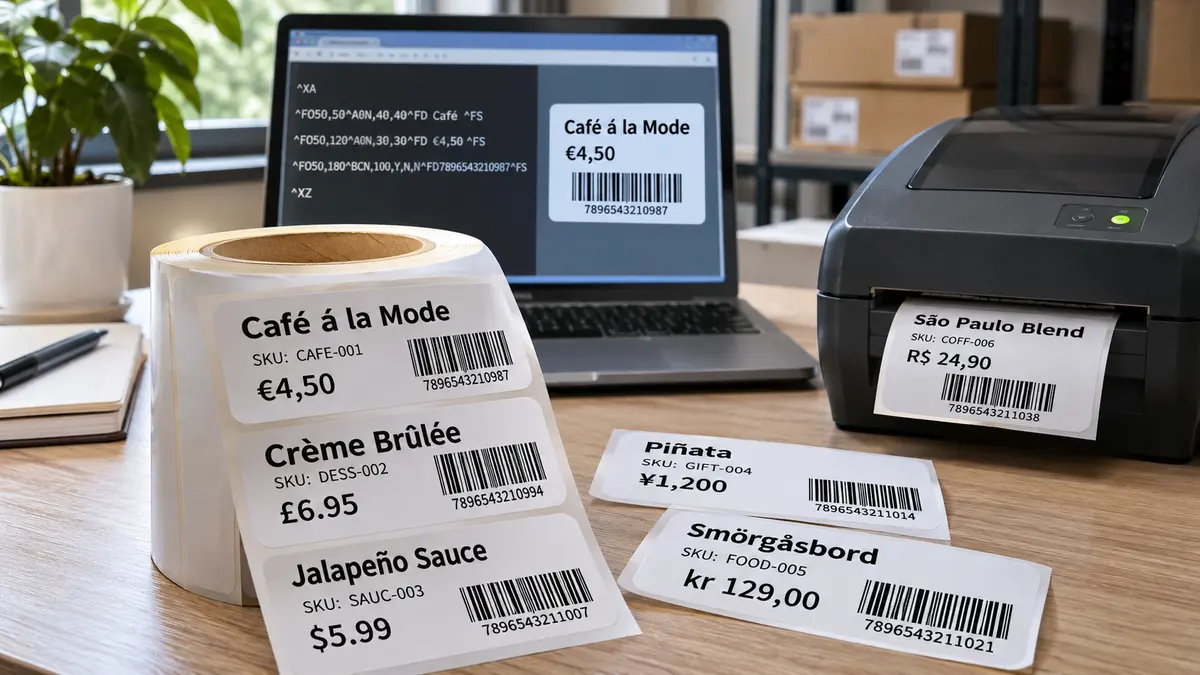
Plain English text prints without thought in ZPL. Add an accented name, a euro sign or a caret, and suddenly labels show question marks, wrong letters or truncated fields. Three things decide what prints: the encoding, the escapes and the font.
1. Encoding with ^CI
^CIa tells the printer how to interpret the bytes in field data. Older values select code pages for different languages; the ones you will meet most today are:
^CI0: the default single byte character set on many printers.^CI27: Windows code page 1252, common for Western European text.^CI28: Unicode UTF-8. The best choice for modern systems, because almost all software already produces UTF-8.
Put ^CI28 near the top of the label, after ^XA, and make sure the program that writes the file saves it as UTF-8.
2. Escapes with ^FH
Some characters are part of ZPL's own syntax. A caret starts a command, so a literal caret inside ^FD data cuts the field short. ^FH enables hexadecimal escapes in the next field: an underscore followed by two hex digits inserts that byte.
_5Eprints a caret (^)._7Eprints a tilde (~)._5Fprints an underscore itself.
With ^CI28, you can also write multi byte UTF-8 characters as escapes, for example _C3_BC for ü. This is useful when the system creating the file cannot write UTF-8 text safely. You can choose a different escape character with ^FH followed by the character, such as ^FH\.
^XA
^PW812
^LL406
^CI28
^FO40,40^A0N,40,40^FDCafé déjà vu: 5 €^FS
^FO40,100^FH^A0N,40,40^FDCaret: _5E   Tilde: _7E^FS
^FO40,160^FH^A0N,40,40^FDHex UTF-8: Gr_C3_BC_C3_9Fe^FS
^FO40,230^GB730,3,3^FS
^FO40,260^BQN,2,4^FDMA,Café déjà vu^FS
^FO260,270^FH^A0N,30,30^FD_5ECI28 = UTF-8^FS
^XZ
3. Fonts that contain the glyphs
Even with perfect encoding, a printer can only print characters its font contains. The built in fonts cover Latin characters well; scripts such as Chinese, Japanese, Korean, Arabic, Hebrew or Thai need a font that includes them, typically a TrueType or OpenType font installed on the printer. You can call it with ^A@ and its file name, or map it to a font letter with ^CW. Your printer's documentation lists which fonts are installed and which can be added.
A preview can only show characters the viewer's font contains, and the printer can only print what its font contains. Always test international labels on the target printer.
Special characters in barcodes
Barcode symbologies have their own character sets. Code 39 accepts only upper case letters, digits and a few symbols. Code 128 covers ASCII. QR codes and Data Matrix can carry UTF-8 when ^CI28 is set, but test with the scanners and apps your users will use. Our QR code guide has more.
Checklist for international labels
- File saved as UTF-8 and
^CI28at the top of each label. - Carets, tildes and escape characters in data are escaped with
^FH. - The selected font contains every character you need.
- The label previews correctly in the ZPL Viewer and prints correctly on the real printer.
Preview this in the ZPL Viewer
Paste your code, pick the label size and density, then check every field before you print.
Frequently asked questions
How do I print a caret (^) in ZPL text?
Add ^FH before the field data and write _5E where the caret should appear, for example ^FH^FDA_5EB^FS prints A^B.
What does ^CI28 do?
It tells the printer to interpret field data as UTF-8, so characters such as é, ü and € are read correctly from modern software.
Why do accented letters print as two odd characters?
The data is UTF-8 but the printer is using a single byte code page. Add ^CI28 at the start of the label.
Can I print Chinese or Arabic text in ZPL?
Yes, with UTF-8 encoding and a font on the printer that contains those characters. Built in fonts usually do not, so a TrueType font is often needed.
Sources and further reading

Written by the ZPL Viewer Editorial Team
We build and maintain the ZPL Viewer rendering engine and write these guides from real testing of label code. Every example in this article was rendered in our viewer before publishing. Read more about how we work.