Key points
- ^GBw,h,t,c,r draws boxes and lines; a line is just a box whose height or width equals its thickness.
- When the thickness is at least half the smaller side, the box is filled.
- ^GC draws circles, ^GE ellipses and ^GD diagonal lines.
- Combine a filled box with ^FR text to print white on black.
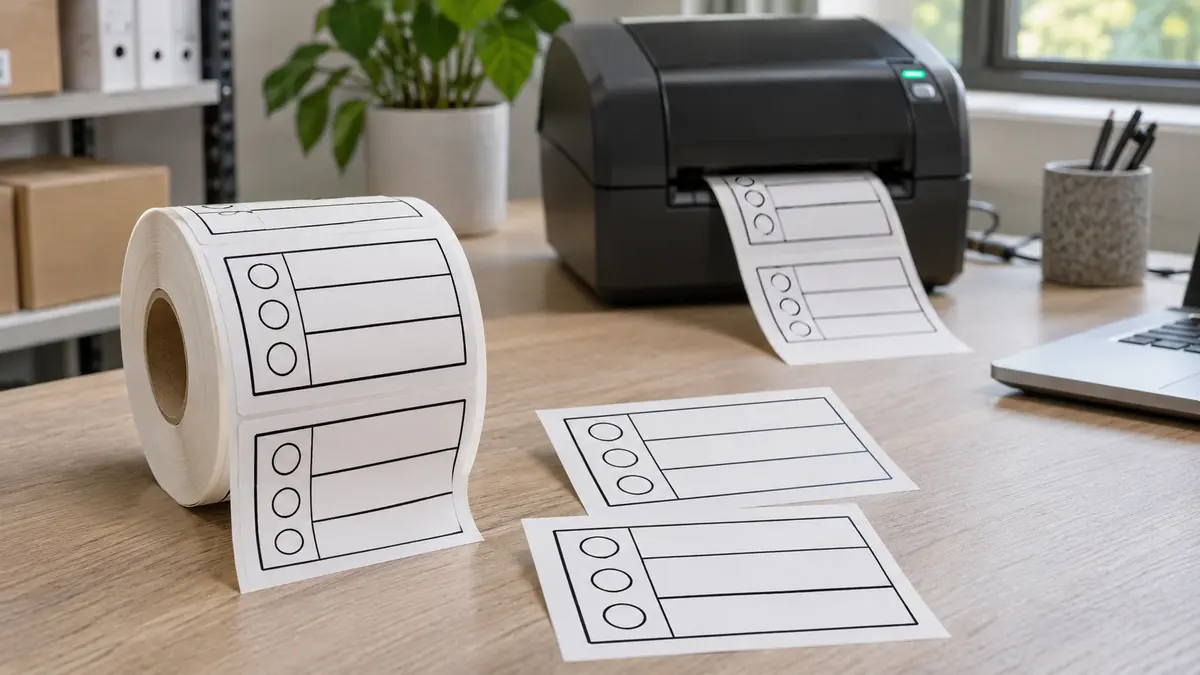
Lines and boxes give a label structure: they separate sender from recipient, frame a barcode and make headings stand out. ZPL draws them with four graphic commands. Each one is a field, so it starts with a position and ends with ^FS like any text field.
Boxes and lines with ^GB
^GBw,h,t,c,r takes width, height, border thickness, colour (B or W) and corner rounding from 0 to 8.
- Horizontal line: height equal to thickness, for example
^GB700,3,3^FS. - Vertical line: width equal to thickness, for example
^GB3,250,3^FS. - Frame: width and height larger than the thickness, for example
^GB400,200,4^FS. - Filled box: thickness at least half the smaller side, for example
^GB200,100,100^FS. - Rounded corners: add a rounding value, for example
^GB400,200,4,B,3^FS.
If the width or height is smaller than the thickness, the printer uses the thickness, which is why ^GB0,250,3 also produces a vertical line.
Circles and ellipses
^GCd,t,c draws a circle with diameter d and border thickness t; the field origin is the top left of its bounding box. ^GEw,h,t,c draws an ellipse inside a w by h box. Both are filled when the thickness reaches half the size. They are handy for status markers, hazard icons and simple logos.
Diagonal lines with ^GD
^GDw,h,t,c,o draws a diagonal across a w by h box. The orientation o is R (or /) for a line leaning right, rising from bottom left to top right, and L (or \) for one leaning left. Two diagonals can make an arrow head or a cross out mark.
^XA
^PW812
^LL609
^FO30,30^GB752,549,6,B,2^FS
^FO70,70^GB300,3,3^FS
^FO70,100^GB3,150,3^FS
^FO120,110^GB220,130,8^FS
^FO420,70^GC160,10,B^FS
^FO610,70^GE140,160,6,B^FS
^FO70,300^GD300,120,8,B,R^FS
^FO420,300^GD300,120,8,B,L^FS
^FO70,460^GB680,90,90,B,4^FS
^FO100,478^FR^A0N,56,52^FDREVERSED ON A FILLED BOX^FS
^XZ
White on black with ^FR and ^LR
^FR makes one field print in reverse: wherever it overlaps black, it prints white, and on white it prints black. Place a filled box first, then a text field with ^FR on top, and the text appears white. ^LRY applies reverse printing to every following field in the label, and ^LRN turns it off. Our viewer reproduces this behaviour exactly, including overlapping reversed fields.
Large solid black areas use more ribbon and heat the printhead. Keep reversed headers reasonably small on high volume printers.
Drawing in white
The colour parameter W draws in white, which lets you cut a gap out of an existing black area without reverse printing, for example a white box inside a black banner to hold a barcode.
Layout tips
- Use thicknesses of 2 to 4 dots for separators at 203 dpi; 1 dot lines can break up on thermal paper.
- Draw frames before the text inside them, and reversed text after its background box.
- Keep a few dots of space between lines and barcodes so the quiet zone is clear.
- Preview with the ZPL Viewer and hover each shape to check its exact position.
Preview this in the ZPL Viewer
Paste your code, pick the label size and density, then check every field before you print.
Frequently asked questions
How do I draw a line in ZPL?
Use ^GB with a height equal to the thickness for a horizontal line (^GB700,3,3^FS) or a width equal to the thickness for a vertical line (^GB3,300,3^FS).
How do I make a filled black box?
Set the thickness to at least half of the smaller dimension, for example ^GB200,100,100^FS.
Why is my rounded box not rounded?
The fifth ^GB parameter controls rounding from 0 to 8. Make sure you include the colour parameter before it, as in ^GB300,150,4,B,4.
Can I draw a circle that is not filled?
Yes. Use ^GC with a thickness smaller than half the diameter, for example ^GC150,6,B^FS draws a 6 dot ring.
Sources and further reading

Written by the ZPL Viewer Editorial Team
We build and maintain the ZPL Viewer rendering engine and write these guides from real testing of label code. Every example in this article was rendered in our viewer before publishing. Read more about how we work.