Key points
- GitHub hosts ZPL renderers, printer emulators and image to ZPL converters in .NET, Go, Python and JavaScript.
- Check licence, recent activity and supported commands before you depend on a project.
- Test any renderer with your own labels and compare against a real printer.
- A browser viewer is often the quickest way to cross check a library’s output.
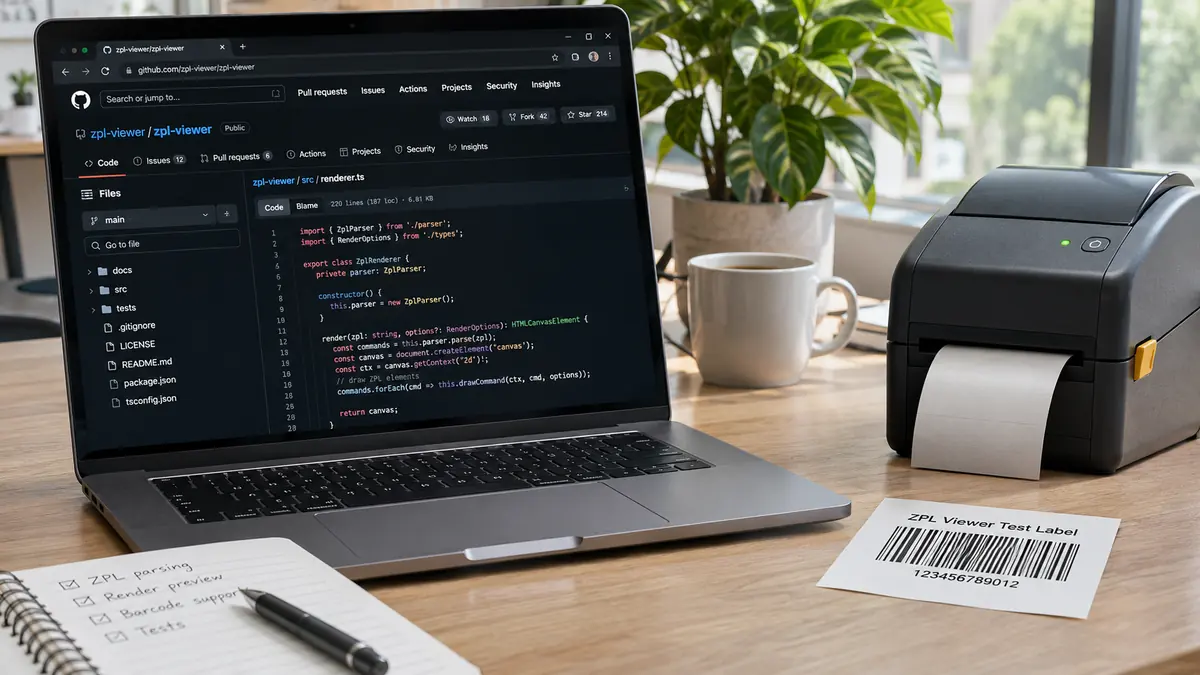
Searching for "zpl-viewer GitHub" usually means one of two things: you want a free viewer you can run yourself, or you are a developer who needs to render or generate ZPL inside an application. Either way, GitHub has useful projects, but quality, licences and maintenance vary a lot. This article maps the landscape and gives you a checklist for choosing.
Types of ZPL projects you will find
- Renderers and viewers parse ZPL and draw it as an image. They are the engines behind previews and ZPL to PNG or PDF conversion.
- Printer emulators listen like a network printer, typically on port 9100, and display the labels they receive.
- Generators help you build ZPL from code with objects such as text, barcode and box, instead of writing strings by hand.
- Converters turn images or PDFs into
^GFgraphic fields so they can be printed by a Zebra printer.
Well known examples
These are established projects at the time of writing. Check each repository for its current status and licence before use.
- BinaryKits.Zpl is a set of .NET libraries for generating ZPL, with a viewer module that renders labels locally to images. The authors also publish a client for an external rendering API.
- zebrash is a Go library for rendering ZPL as raster images; its README notes that it is partly based on BinaryKits.Zpl.
- zebrafy is a Python library that converts PDFs and images to and from ZPL graphic fields.
- 1linux/zpl-viewer is a desktop printer emulator that displays labels sent to it, using an online API as its rendering backend.
Notice the difference between projects that render locally and those that call an online service. If your labels contain personal data, that distinction may decide the choice for you.
How to evaluate a project
| Question | Why it matters |
|---|---|
| What is the licence? | MIT and Apache licences are easy to use commercially. LGPL and GPL have conditions you must follow when you distribute software. |
| When was the last release? | An active project fixes bugs and supports new firmware behaviour. An abandoned one may still be fine for a narrow task. |
| Which commands are supported? | Look for a supported command list. Barcodes such as PDF417 and MaxiCode, and graphics in Z64, are common gaps. |
| Does it render locally? | Local rendering keeps data private and avoids rate limits. |
| Are there tests? | Projects with sample labels and expected images are far easier to trust and upgrade. |
Test with your own labels
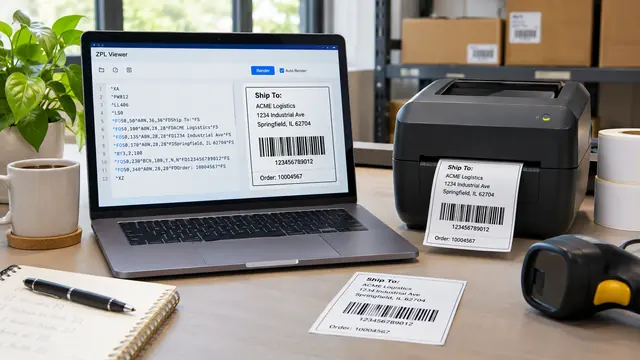
Build a small test set from labels you really print: a shipping label, a product label and anything with graphics or unusual barcodes. Render them with the library, render them with a second tool such as our ZPL Viewer, and print them on a real printer. Then scan every barcode from the library output. Differences in font width are normal; wrong barcode data, missing fields or misplaced graphics are not.
^XA
^PW812
^LL406
^FO30,30^GB752,346,3,B,1^FS
^FO60,55^A0N,40,40^FDOpen source ZPL renderers^FS
^FO60,110^A0N,28,28^FDCheck: license, activity, coverage^FS
^FO60,150^A0N,28,28^FDTest: barcodes, fonts, graphics^FS
^FO60,200^BXN,6,200^FDgithub.com/topics/zpl^FS
^BY2,3,90
^FO300,220^BCN,90,Y,N,N^FDOSS-ZPL^FS
^XZ
Build on a library or use a hosted tool?
If you only need to see labels, a hosted or browser tool is simpler than maintaining a dependency. If you render thousands of labels in a back office process, a library inside your own infrastructure gives you control, privacy and predictable cost. Many teams do both: a library in the pipeline and a browser viewer for people who need to look at a single label quickly.
Contributing back
If you find a rendering bug, a minimal ZPL sample that reproduces it is the most useful thing you can send to a maintainer. Strip personal data, keep only the fields needed to show the problem and include the density and label size you used. The same approach works when you report issues to us.
Preview this in the ZPL Viewer
Paste your code, pick the label size and density, then check every field before you print.
Frequently asked questions
Is there an official Zebra ZPL viewer on GitHub?
Zebra publishes SDKs and samples, but popular open source ZPL renderers are community projects. Always check the licence and maintainer of a repository before using it.
Can I host my own ZPL viewer?
Yes. Several open source renderers can run on your own server or in a container. A browser based viewer is an alternative that needs no server at all.
Which open source renderer is most accurate?
It depends on the commands you use. Test candidates with your real labels, compare against a printer and scan every barcode before deciding.
Are GitHub ZPL viewers free for commercial use?
Many are, under permissive licences such as MIT. Some use LGPL or GPL, which add obligations. Read the licence file in each repository.
Sources and further reading
- BinaryKits.Zpl on GitHub
- zebrash on GitHub (ingridhq)
- zebrafy on GitHub
- zpl-viewer printer emulator on GitHub (1linux)

Written by the ZPL Viewer Editorial Team
We build and maintain the ZPL Viewer rendering engine and write these guides from real testing of label code. Every example in this article was rendered in our viewer before publishing. Read more about how we work.